Browse the previews, download individual originals or take the complete collection. Previews are resized or cropped for the web; image pixels and embedded stereo views are preserved; captions are included in the image metadata.
StrataKernel demo collection; embedded EXIF and caption.
Remarks
Coco in the early morning. A single 2D photograph: StereoViewer creates a synthetic sense of depth on your iPhone. The preview is cropped around Coco; the download retains the full photograph.
StrataKernel demo collection; embedded EXIF and caption.
Remarks
“Mist on the fields, the grey and the green together.” A single 2D photograph for the automatic depth effect. The original caption and capture metadata are preserved.
StrataKernel demo collection; embedded caption: “Horseshoe crab”. Original source not yet identified.
Remarks
A single 2D photograph with a clear foreground subject. Original photographer, location and capture date have not been independently established. Collection credit and licence are supplied by StrataKernel.
Original credit NASA, ESA and Allison Loll/Jeff Hester (Arizona State University). Acknowledgement: Davide De Martin (ESA/Hubble)
Remarks
A Hubble mosaic assembled from 24 exposures. This is a 2D astronomical image; any depth created by StereoViewer is synthetic and does not represent measured distances within the nebula. Web preview resized/cropped; supplied image pixels unchanged.
StrataKernel demo collection; embedded EXIF and caption.
Remarks
An original Spatial HEIC photograph of the classic GAF viewer. The webpage shows a 2D preview of the primary image; download the HEIC to retain its embedded stereo views.
StrataKernel demo collection; embedded EXIF, GPS and caption.
Remarks
A Spatial HEIC scene with mirrors, tiles and foreground objects. The supplied original includes GPS metadata. The webpage preview shows only the primary 2D image; the HEIC retains the stereo views.
StrataKernel demo collection; embedded EXIF and caption.
Remarks
A Spatial HEIC photograph of a vintage Renault 4. The car and showroom provide several depth layers. The full original is retained, including the embedded stereo views.
A parallel side-by-side stereogram by VasuVR, made from two photographs taken consecutively. The preview shows the left view only. The download contains both views in their original side-by-side layout.
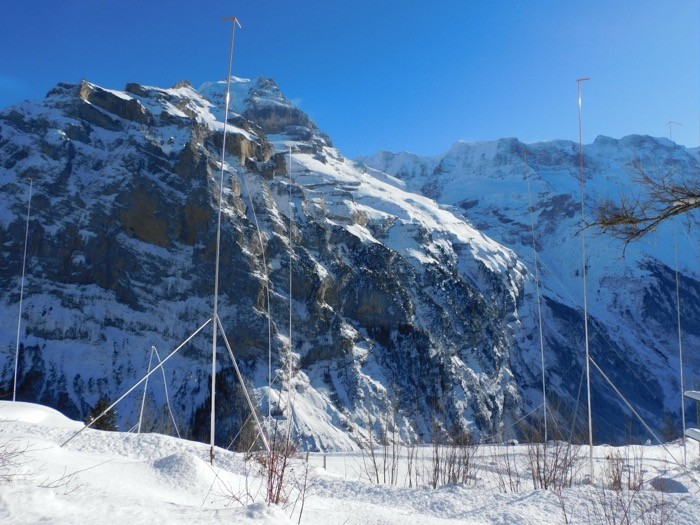
A parallel side-by-side stereogram by VasuVR. The mountain views were photographed consecutively and combined. The webpage shows the left view only; the downloaded JPEG retains both views.
Computer-generated red/cyan anaglyph illustration, not a spacecraft photograph. StereoViewer separates the colour channels into grayscale eye views. Original artwork by Kevin M. Gill under CC BY 2.0; that licence remains applicable to the artwork. Web preview resized; original image pixels unchanged.
FROM DOWNLOAD TO HEADSET
Ready on your iPhone in four steps.
Use Safari and the built-in Files app. You choose where the demo collection is stored.
Download the ZIP in Safari
On this page, tap Download all demos. If Safari shows a Download confirmation, tap Download. Safari normally saves the file automatically to its configured download folder; it does not ask you to choose a folder for each download. Wait until the 107.6 MB download has finished.
Find the ZIP and move it to your chosen folder
Open Files → Browse and look in iCloud Drive → Downloads or On My iPhone → Downloads. If the ZIP is not there, check Settings → Apps → Safari → Downloads to see where Safari saves downloads. In Files, touch and hold StereoViewer-Demo.zip, choose Move, select the location where you want to keep the demos, then confirm the move. You can create a new folder there if needed.
Extract StereoViewer Demo
In Files, open the folder where you just placed the ZIP and tap StereoViewer-Demo.zip. Files extracts the images into a folder named StereoViewer Demo in that location. Open that folder to check that the ten image files are present.
Open the folder in StereoViewer
Open StereoViewer, choose the Files folder option and select the extracted StereoViewer Demo folder containing the ten images. Confirm the folder selection, check the preview and start the stereo viewer. Place your iPhone in a compatible headset to explore the collection.
Only want one image?
Tap Download original below its preview. If Safari opens the file instead, use Share → Save to Files and choose your folder. Keep the original extension, especially .HEIC for Spatial photographs.
Keep the original files
Use the downloaded originals rather than screenshots of this page. Screenshots lose the embedded stereo information. If you use iCloud Drive, make sure the files are downloaded to your iPhone before viewing without internet. Allow about 250 MB of free space for the ZIP and extracted collection.