Charm in every movement
The woman moves farther out as humidity falls; the man takes his turn as it rises. Their animated transitions echo the traditional mechanism and give the house a personality of its own.

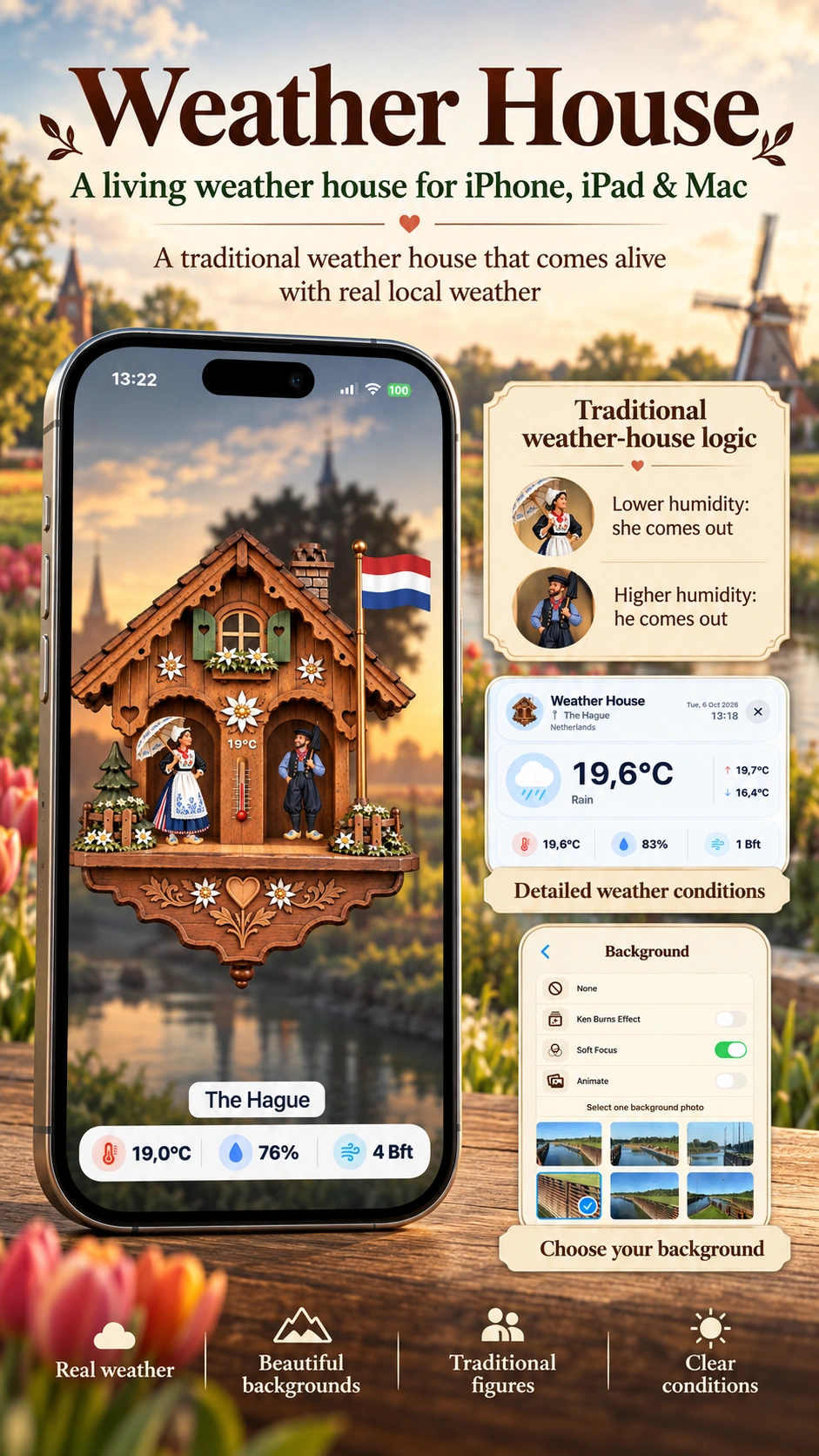
A traditional weather house,
brought to life on your screen.
Remember the little wooden house where a change in the air brought the figures out? Weather House brings that familiar charm to your iPhone, iPad and Mac, with animated characters, a flag in the breeze and weather for the place you call home.
A traditional weather house turns something invisible into a scene you can watch: as humidity changes, one figure steps forward and the other retreats. Weather House preserves that delightful idea and gives it a new home on your screen.
The carved chalet, flowers, shutters and familiar characters invite a closer look. The thermometer shows your local temperature, the national flag responds to the wind, and an optional animated sky brings sunshine, cloud, rain or snow into the scene. It is a weather display you can enjoy as much as read.
Keep it nearby on your Mac, stand your iPad beside you, or take a little piece of that old-world charm with you on iPhone. Choose a favourite photo, explore country-inspired figures and make the house feel like your own.
The woman moves farther out as humidity falls; the man takes his turn as it rises. Their animated transitions echo the traditional mechanism and give the house a personality of its own.
A temperature on the house, a flag in motion and optional readings beneath it make the display easy to enjoy throughout the day. Open detailed conditions whenever you want a closer look.
From nostalgic country artwork to a favourite photograph, the details are yours to choose. Make it quietly decorative, richly animated or somewhere in between.
Traditional weather-house character meets the useful details of a modern weather app, with plenty of ways to shape the experience.
Humidity drives the characters' positions. Enjoy the classic weather-house movement, with nostalgic country figures where available and regional styles for other locations.
Your location selects the national flag, while wind speed changes its animation. Turn flag motion on for a lively scene or off for a quieter display.
Sun, moon, moving cloud, mist, rain, snow and thunderstorms can set the scene behind the chalet. Weather animation has its own switch, so you can choose the mood.
Tap or click the Conditions bar for temperature, humidity, wind and further measurements, plus hourly and five-day forecasts when available from the weather provider.
Use a photo or a slideshow of up to three images on iPhone and iPad. Add Soft Focus or gentle Ken Burns motion. Mac offers its own selection of built-in backgrounds.
Explore flags and character styles with a swipe on iPhone and iPad or the arrow keys on Mac. Your visual preview changes while detailed weather keeps following your actual location.
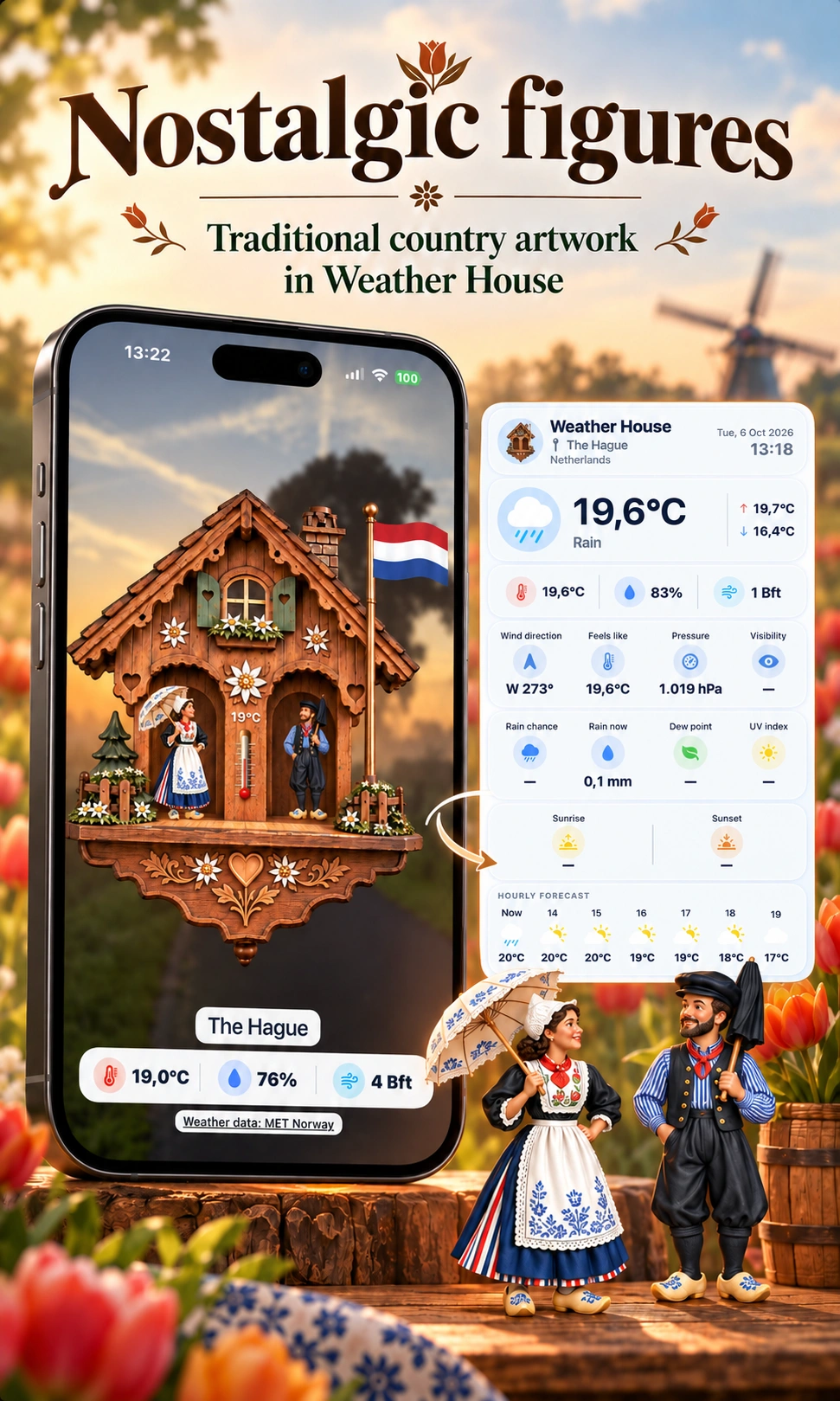
The figures are at the heart of a weather house. With Nostalgic Figures enabled, Weather House gives supported countries their own traditional artwork, from the Dutch pair to other familiar regional characters.
It is a small detail that makes the house feel connected to a place. Browse the country previews with Easter Eggs, enjoy the changing flags and characters, then return to the house for your own location.
Prefer a different look? Turn Nostalgic Figures off to use the regional character styles. Either way, the humidity-driven movement remains part of the experience.
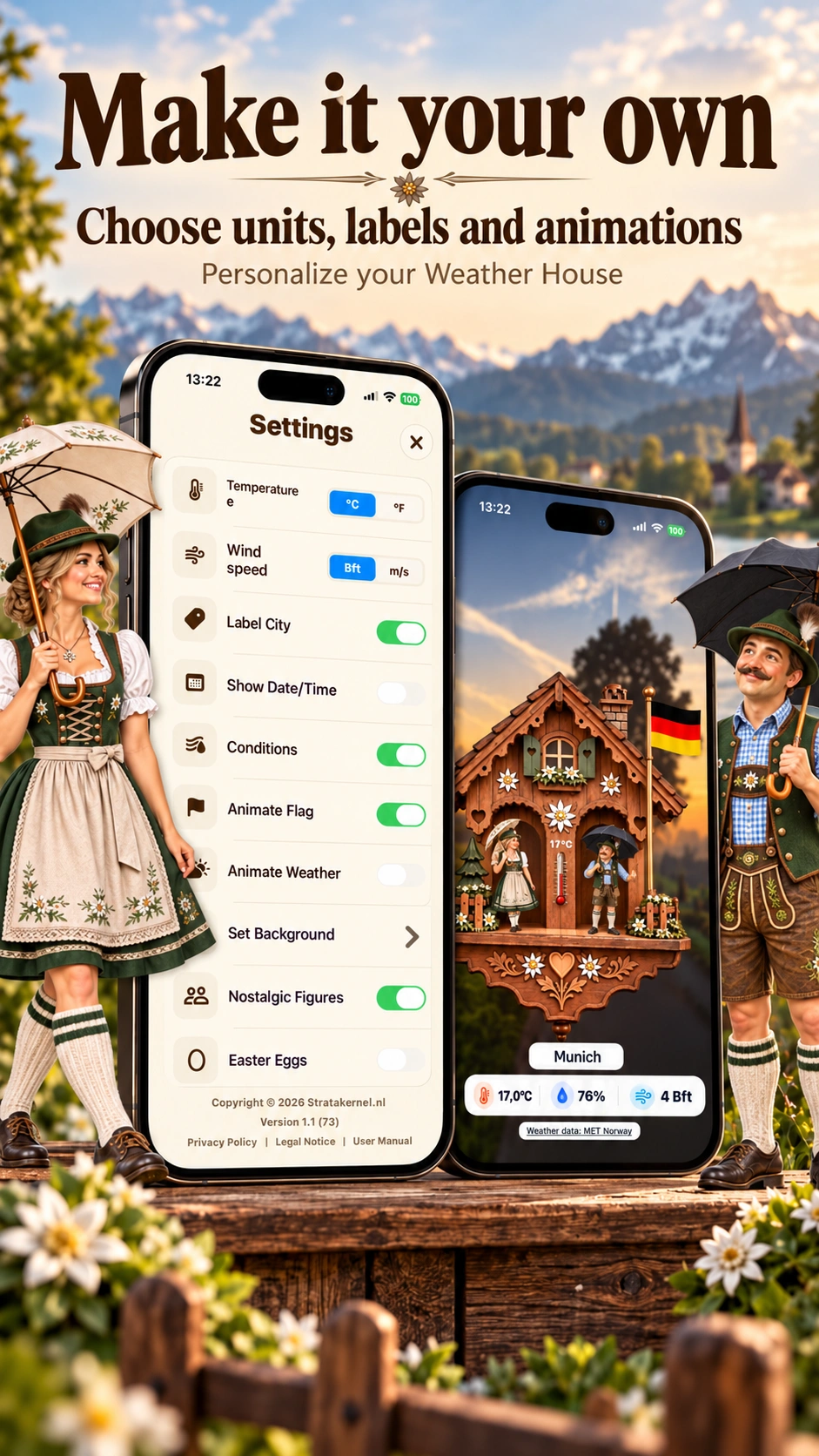
Some days you want the whole scene: moving figures, a waving flag, weather effects and the local readings. Other days, the house itself is enough. Weather House lets you choose the details that suit you.
Select Celsius or Fahrenheit and Beaufort or metres per second. Show the city, date and time, or hide those labels. Switch flag and weather animation independently, and choose the character style you enjoy most.
The controls are close at hand: double-tap the house or background on iPhone and iPad, or open Settings on Mac. Your choices are remembered for the next time you open the app.
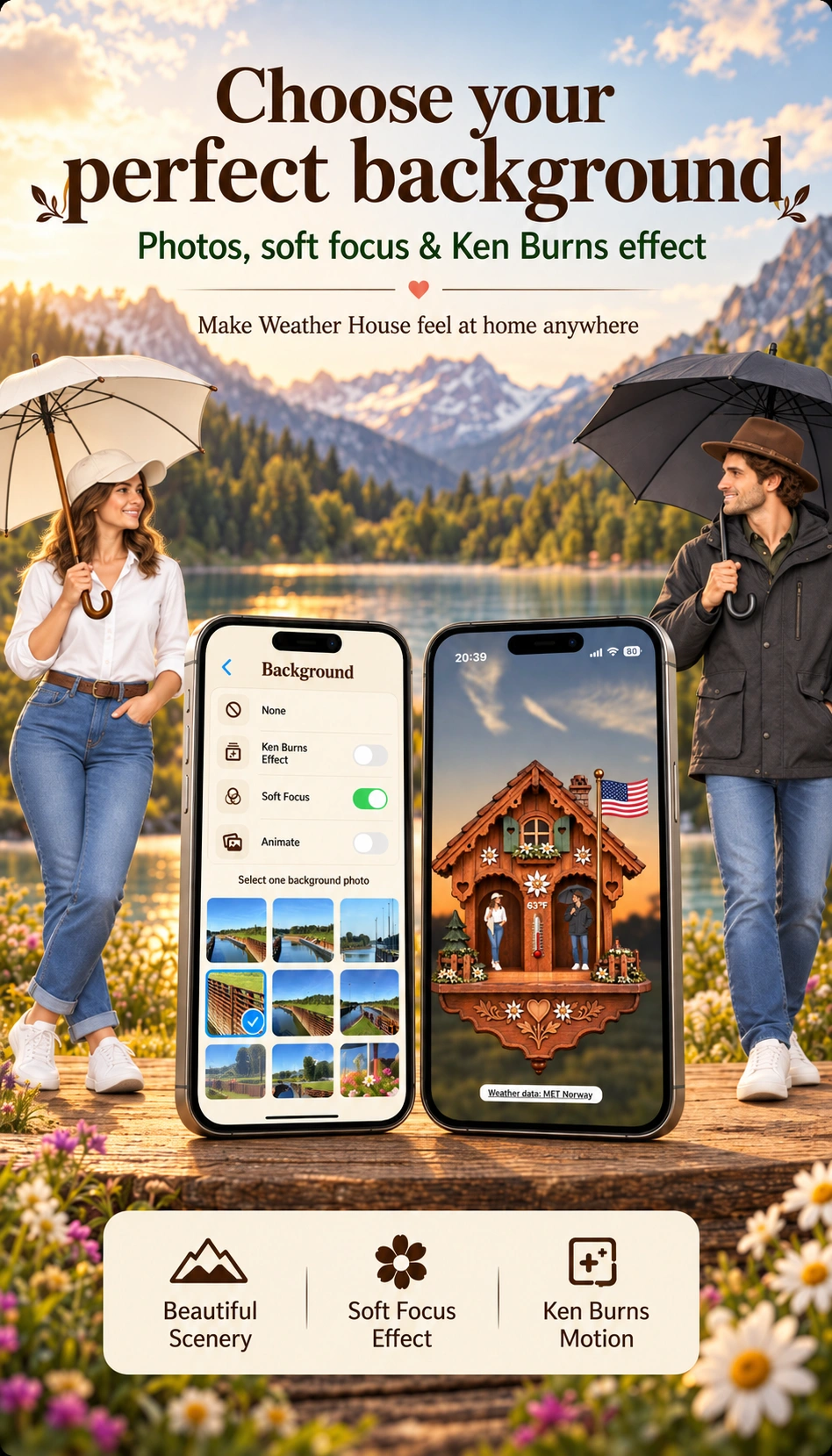
A holiday memory, a peaceful landscape or a view you love: on iPhone and iPad, your own photos can become the setting for Weather House. Choose one still image or let up to three selected photos change in a slideshow.
Ken Burns motion adds a slow pan and zoom; Soft Focus gently softens the backdrop. Together, they let the house take its place in a scene that feels personal.
On Mac, choose Transparent, Plain, Swiss, Wood, Rocky or Psy. Resize the house window, restore its default size or use full screen with a suitable background. Choose the animated weather scene when you want the sky to follow the reported conditions.
Animated characters, beautiful backgrounds, local weather and a little traditional charm. A weather house made to be enjoyed throughout the day.